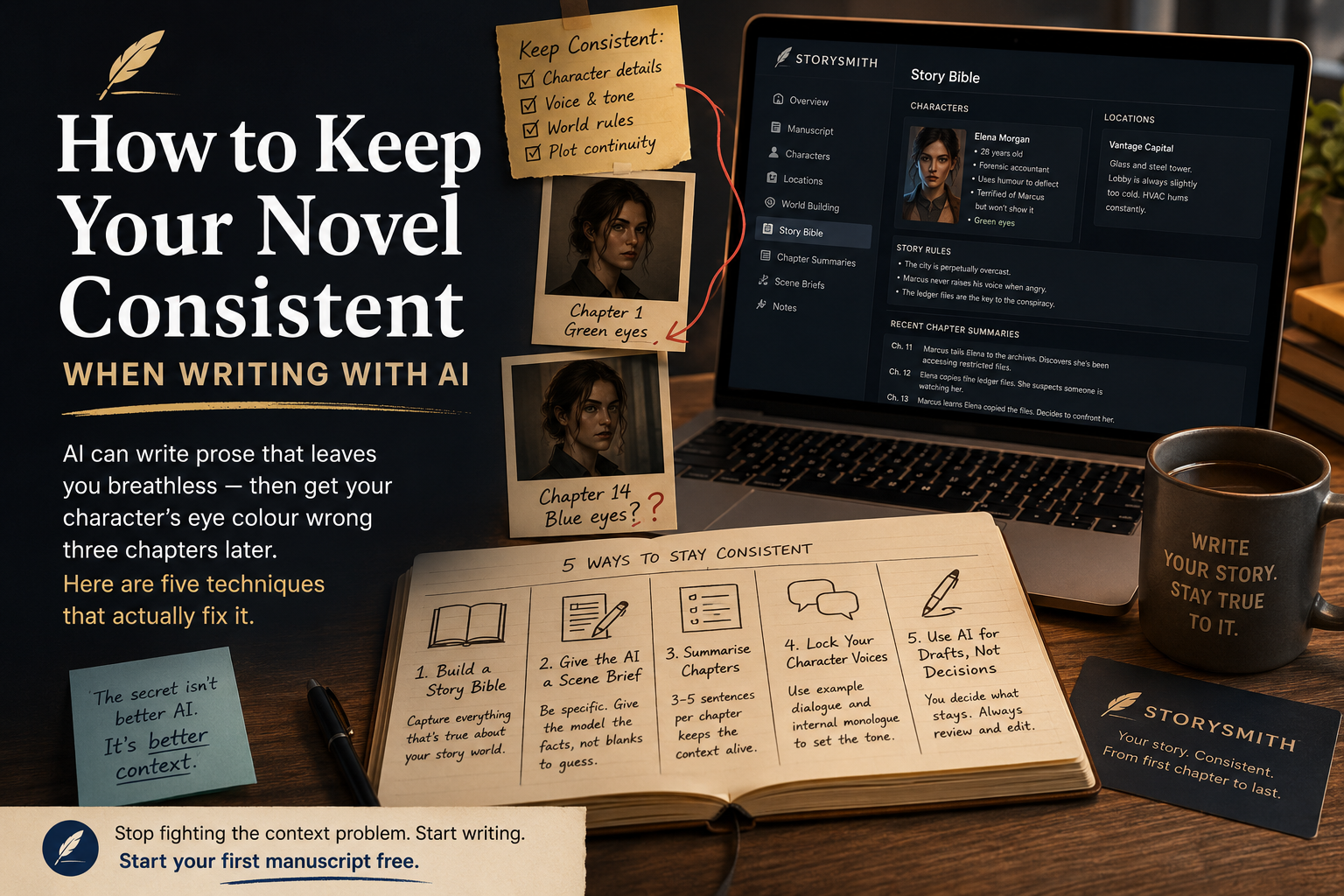
You've found your rhythm. The AI is writing scenes that feel alive — sharp dialogue, vivid description, the kind of prose that makes you lean forward in your chair. Then you reach Chapter 14 and your protagonist's eyes have changed colour. Your stoic detective is cracking jokes. The city that was perpetually overcast is now bathed in Mediterranean sunshine.
This is the most common complaint fiction writers have about AI writing tools: the output is impressive in isolation and unreliable across a whole manuscript. Understanding why it happens is the first step to fixing it.
Why AI Loses the Thread
Large language models don't "remember" your story the way you do. AI models don't remember your novel the way a human writer does. They can only work with a limited amount of information at a time. Once earlier chapters fall outside that working memory, important details become easier to lose. Once your manuscript exceeds that window (usually somewhere between 50,000 and 200,000 words depending on the model), earlier chapters simply fall out of view.
Even within the context window, models weigh recent text more heavily than earlier text. A character detail established in Chapter 1 competes with everything that came after it. Without explicit reinforcement, it fades.
The good news: this is a solvable problem. Here's how.
1. Build a Story Bible Before You Write a Word
A story bible is a living reference document that captures everything that is true about your story world: character descriptions, personality traits, backstory, relationships, locations, the rules of your magic system, the tone of your prose. Screenwriters have used them for decades. Novelists rarely bother — and then wonder why continuity falls apart.
For AI-assisted writing, a story bible is not optional. It's the foundation. Every time you start a new generation session, you paste in the relevant entries. The model stops guessing and starts working from facts.
Keep it updated as you write. When a character detail emerges organically in Chapter 6 that wasn't in your original notes, add it. The bible is only useful if it's accurate.
2. Give the AI a Scene Brief, Not Just a Prompt
The difference between a weak prompt and a strong one is specificity. Compare these two:
Weak: "Write a scene where Marcus confronts Elena."
Strong: "Write a scene where Marcus (mid-40s, ex-military, speaks in clipped sentences, never raises his voice when angry — goes quieter instead) confronts Elena (28, forensic accountant, uses humour to deflect, terrified of Marcus but won't show it) in the lobby of Vantage Capital's offices (glass and steel, permanently humming with HVAC, always slightly too cold). Marcus has just discovered Elena copied the ledger files. Elena doesn't know what he knows yet."
The second prompt gives the model almost nothing to invent. It can focus entirely on execution — pacing, tension, dialogue rhythm — rather than filling in blanks with guesses.
3. Summarise Chapters as You Go
After you finish each chapter, write a 3–5 sentence summary of what happened: key plot events, character decisions, new information revealed, emotional state each character ends the chapter in. This takes five minutes and pays back enormously.
When you're 40,000 words in and starting a new scene, you paste the last three chapter summaries into your prompt. The model now knows where you've been. Continuity errors drop sharply.
4. Lock Your Character Voices With Examples
Describing a character's voice is harder than showing it. Instead of writing "Elena speaks quickly and deflects with sarcasm," give the model two or three lines of example dialogue you've already written or approved for that character. Let it pattern-match.
This is especially important for your protagonist. Drop two or three paragraphs of their established internal monologue into any generation prompt where they're the POV character. The model will mirror the rhythm and register far more accurately than if you'd just described it.
5. Use AI for Drafts, Not Decisions
The most important mindset shift: AI is your first-draft engine, not your story architect. Let it generate — then you decide what stays. This means reading every output critically, catching the hallucinated eye colours and the out-of-character jokes before they make it into your working draft.
The writers who get frustrated with AI consistency are often the ones who paste AI output directly into their manuscript without this editorial pass. The writers who get great results treat the AI like a very fast, very prolific writing partner whose work always needs a light edit.
The Core Problem Is Context Management
All five techniques above are really solving the same problem: making sure the model has the right information when it generates. The story bible, the scene brief, the chapter summaries, the voice examples — they're all ways of bringing critical context back into the window, every single time.
This is also why tools that integrate your story bible directly into every AI request produce noticeably better results than those that don't. When your characters, locations, and story rules are automatically attached to each generation, you stop fighting the context problem manually and start writing.
At LuminaProse, we've built these practices directly into the writing workflow. Character profiles, locations, world-building notes and story rules aren't stored in separate documents that you have to copy and paste manually. They're available whenever you generate new content, helping maintain consistency across an entire manuscript.
Whichever tools you use, the discipline is the same: know your story well, document it clearly, and give the AI the facts it needs to stay consistent with the world you've built.
That's when it stops being a source of frustration and starts being genuinely useful.
If you're tired of manually copying story notes into every prompt, LuminaProse helps keep your characters, world-building and manuscript context organised in one place.
Start your first manuscript free.